
Emergency Hardening for PHP CVE-2026-109618 and CVE-2026-109619 on a Legacy Apache Server
PHP uses longjmp() for out-of-memory (OOM) errors to exit the current context and abort handling of the request. In some contexts, request memory is temporarily reachable before it is fully initialized. If any allocation fails at that point, PHP does not properly account for the early exit and leaves the request memory in an invalid state. The failed allocation does not need to be related to the invalid memory. The request shutdown procedure may then read or branch on it. Multiple OOM strategies can consistently trigger this condition and lead to remote code execution (RCE).
Severity : 9.2/10
https://github.com/php/php-src/security/advisories/GHSA-w8hw-w9fx-j79w
Configuration alone cannot fix the two critical PHP remote-code-execution bugs published on 21 October 2026, but it can close the publicly described attack paths within an hour. This write-up shows what I did on an older Apache server that hosts Nextcloud and Roundcube and cannot be upgraded the same day.
The article covers:
- How to find out how PHP really runs on your server, because the fix lives in a different
php.inifor each mode. - The emergency settings, and how to stop them from causing a memory denial of service.
- An honest assessment of what this buys you, and the actual fix.
Find out how PHP really runs
Ask the web server, not the command line: on my server, each site used a different PHP mode and therefore a different php.ini. Ubuntu ships one per mode:
The [php7:error] lines in my log came from mod_php, and a2query -m php7.4 confirmed mod_php was enabled. Yet the Nextcloud site ran under mod_fcgid and read the CGI file, so my first round of changes did nothing for it.
The reliable test is a small script placed in each application’s directory and fetched over HTTPS:
cat > /path/to/app/zz_check.php <<'EOF'
<?php
echo "ini: ", php_ini_loaded_file(), "\n";
echo "sapi: ", php_sapi_name(), "\n";
echo "dir: ", __DIR__, "\n";
echo "memory_limit: ", ini_get("memory_limit"), "\n";
echo "upload_progress: ", var_export(ini_get("session.upload_progress.enabled"), true), "\n";
EOF
curl -sk https://your-site.example/app/zz_check.php
rm /path/to/app/zz_check.php
It prints the exact php.ini in use, the PHP mode and the effective values. Delete it immediately after use: it reveals internal paths.
The two emergency settings
Two settings from the advisories close the publicly demonstrated paths on PHP 7.4: an unlimited memory_limit and disabled session upload progress.
memory_limit = -1removes the predictable per-request limit that the CVE-2026-109618 exploit drives PHP into.session.upload_progress.enabled = Offremoves the session-upload path of CVE-2026-109619. It is on by default, even when the line inphp.iniis commented out. Neither Nextcloud nor Roundcube needs it.
The other demonstrated path for CVE-2026-109619 depends on fatal-error backtraces, a PHP 8.5 feature, so it does not apply to 7.4.
Apply them to every php.ini that serves a site
for ini in /etc/php/7.4/apache2/php.ini /etc/php/7.4/cgi/php.ini /etc/php/7.4/fpm/php.ini; do
  cp "$ini" "$ini.bak-$(date +%F)"
  printf '\n; PHP CVE-2026-109618/109619 stopgap\nmemory_limit = -1\nsession.upload_progress.enabled = Off\n' >> "$ini"
done
Appending works because the last occurrence of a setting wins. Comments in php.ini must start with ;. A line starting with # can break parsing, and everything after it is then silently ignored. Check each file parses and gives the right values:
php -c /etc/php/7.4/cgi/php.ini -r 'echo ini_get("memory_limit")," / ",var_export(ini_get("session.upload_progress.enabled"),true),"\n";'The expected output is -1 / ''. Then restart whatever runs PHP: systemctl restart apache2 for mod_php and mod_fcgid, and systemctl restart php7.4-fpm for FPM.
Stop applications from overriding them
Nextcloud’s .htaccess sets php_value memory_limit 512M for mod_php, and its .user.ini does the same for FastCGI and FPM. Either one silently undoes the fix.
For mod_php, admin values cannot be overridden from .htaccess. One global Apache config covers every site under /var/www:
cat > /etc/apache2/conf-available/php-cve-2026-mitigation.conf <<'EOF'
<IfModule php7_module>
    <Directory /var/www>
        php_admin_value memory_limit -1
        php_admin_flag  session.upload_progress.enabled off
    </Directory>
</IfModule>
EOF
a2enconf php-cve-2026-mitigation
apachectl configtest && systemctl restart apache2
For FPM, set the same pair as php_admin_value[...] and php_admin_flag[...] in the pool file. For FastCGI, edit or comment out memory_limit in the application’s .user.ini. Remember that an application upgrade may restore that file.
Finally, re-run the check script for every application. You want memory_limit: -1 and upload_progress: ''.
If you wanna make it simple, add this to the very end of php ini config file from /etc/php/:
;Php2shell CVE 21 Oct 2026
memory_limit = -1
session.upload_progress.enabled = Off
Containing the side effect
With no memory limit, a crafted request can grow until the whole server runs out of RAM. That trades remote code execution for a possible denial of service, which is a good trade, but it should be limited in layers. The numbers below fit a 12-core server with 31 GB RAM, where normal PHP processes use 90 to 230 MB each.
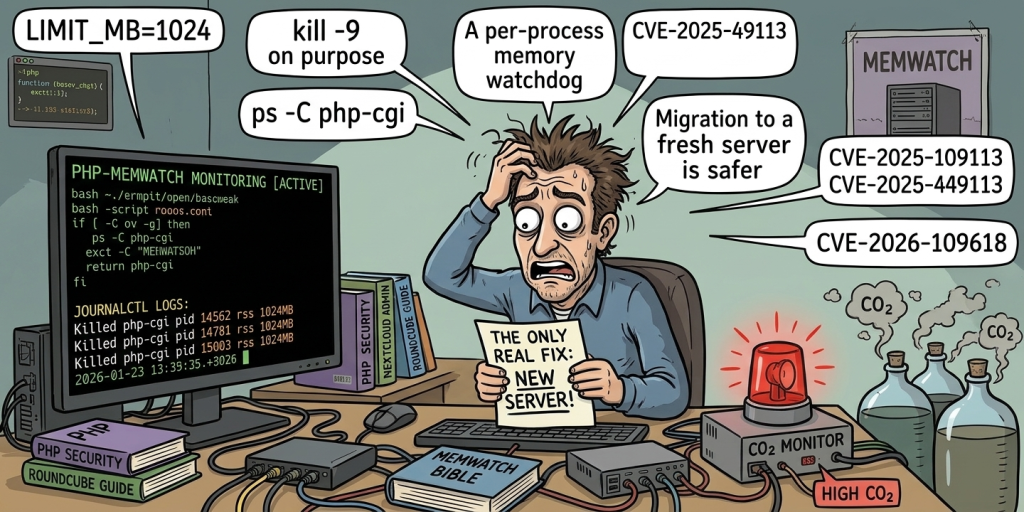
A per-process memory watchdog, code written by YO8RXP
A small service kills any single PHP process above 1 GB, long before the server is in trouble. It uses kill -9 on purpose: a normal SIGTERM lets PHP run its shutdown code, which is the part that touches the corrupted state.
cat > /usr/local/sbin/php-memwatch <<'EOF'
#!/bin/bash
# Kill php-cgi processes above LIMIT_MB
LIMIT_MB=1024
while true; do
    ps -C php-cgi,php-cgi7.4 -o pid=,rss= | while read -r pid rss; do
        if [ "$rss" -gt $((LIMIT_MB * 1024)) ]; then
            kill -9 "$pid" 2>/dev/null && \
              logger -t php-memwatch "killed php-cgi pid=$pid rss=$((rss / 1024))MB"
        fi
    done
    sleep 0.01
done
EOF
chmod +x /usr/local/sbin/php-memwatch

cat > /etc/systemd/system/php-memwatch.service <<'EOF'
[Unit]
Description=Kill oversized php-cgi processes
After=apache2.service

[Service]
ExecStart=/usr/local/sbin/php-memwatch
Restart=always

[Install]
WantedBy=multi-user.target
EOF
systemctl daemon-reload
systemctl enable --now php-memwatch
ps -o rss=reports kilobytes, so the script compares againstLIMIT_MB * 1024.- Adjust the process names to what
pgrep -a phpshows on your server. - Watch it with
journalctl -t php-memwatch -f. An empty log under normal traffic means the limit is not hurting legitimate requests. - A one-second poll can miss a very fast allocation